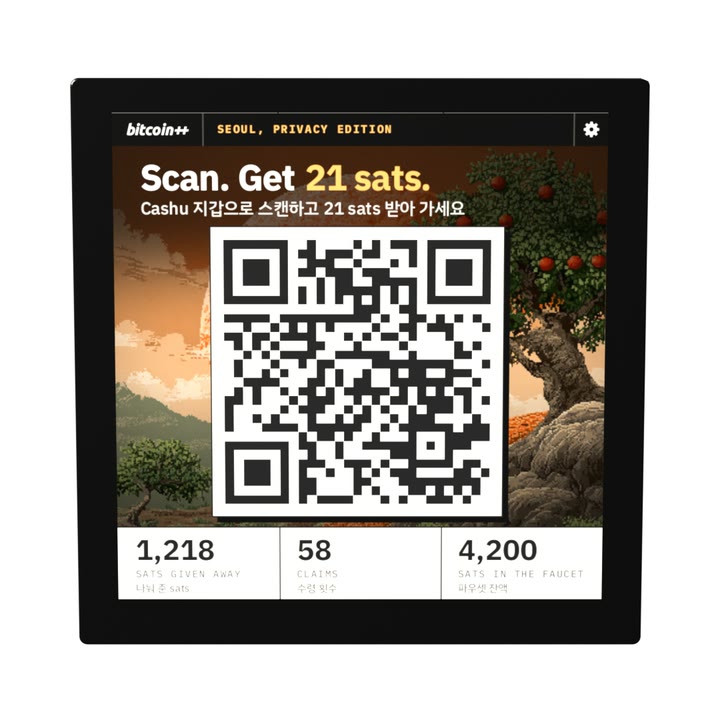
Cashu Pixel
A little screen that gives away bitcoin. Scan it with a Cashu wallet and the sats are yours.
Video coming soon.
Open source
The faucet’s code, how to build it and how to set up the Pi are on GitHub, under the MIT License. Its screen comes in two looks: its own, and the one shown here, styled after the bitcoin++ conference in Seoul, in English and Korean.
Parts
- Raspberry Pi Zero 2 W With a 40-pin header. The Zero 2 WH comes with one soldered on.
- Pimoroni HyperPixel 4.0 Square Touch The 720 × 720 touchscreen. It plugs straight onto the Pi’s header.
- microSD card 16 GB or larger, for Raspberry Pi OS.
- Micro-USB power supply 5.1 V, 2.5 A. A power bank and a micro-USB cable work too.
You also need Wi-Fi, so it can reach its mint, and a Lightning wallet to fill it: when it’s empty, its screen shows an invoice to pay. The build guide is on GitHub.